A beautiful interior design can quickly become difficult to deliver when the FF&E budget starts moving in the wrong direction.
Furniture prices change. Quantities increase. A specified product becomes unavailable. Freight costs rise. A client selects a more expensive finish. One small change may seem manageable, but across hundreds of furniture, fixture and equipment selections, those changes can significantly affect the project budget.
That is why effective FF&E budget tracking is about more than recording product prices. Interior design teams need to understand what was estimated, what vendors quoted, what the client approved, what has been committed and what was actually spent.
In this guide, we will explain what an FF&E budget should include, how to track costs step by step, which expenses are often overlooked, how to manage budget overruns and how specification software can make budgeting easier to control.
What Is FF&E Budget Tracking?
FF&E budget tracking is the process of monitoring planned, quoted, approved, committed and actual costs for furniture, fixtures and equipment throughout an interior design project.
FF&E may include:
- Furniture
- Decorative lighting
- Artwork
- Window treatments
- Accessories
- Equipment
- Selected fixtures
- Other movable interior products
Budget tracking begins during planning but continues through specification, client approval, purchasing and installation.
The goal is simple: know where the project stands financially before a cost problem becomes a budget problem.
Why Is FF&E Budget Tracking Important?
Interior design budgets rarely remain completely unchanged from concept to installation.
Products can be discontinued, quantities can change, vendor quotes can expire and shipping costs can increase. If the budget exists separately from current specifications, teams may not recognize the financial impact quickly enough.
This is particularly important in complex projects. Autodesk and FMI research into the wider U.S. construction industry found that poor project data and miscommunication accounted for 48% of rework in the study, representing an estimated $31.3 billion in rework costs.
While this figure is not specific to interior design, it demonstrates the financial consequences of disconnected project information.
A well-managed FF&E budget helps teams:
- Compare planned and actual spending
- Identify overruns earlier
- Understand the financial impact of specification changes
- Keep clients informed
- Coordinate design and procurement
- Manage contingency more effectively
- Make better value-engineering decisions
For this reason, budgeting should be connected to the broader FF&E specification management process rather than treated as a separate administrative task.
What Should an FF&E Budget Include?
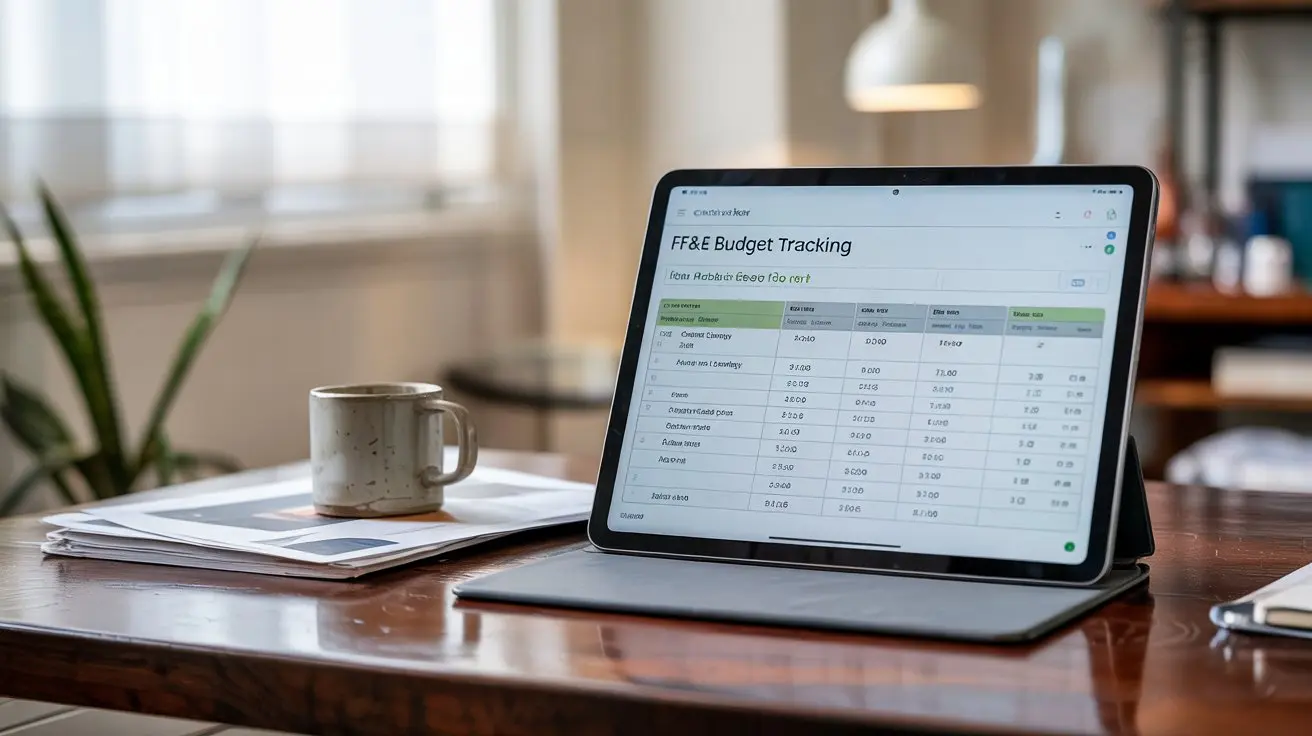
An FF&E budget should include item descriptions, quantities, unit costs, vendor quotes, approved amounts, taxes, freight, installation costs, contingencies and actual spending. It should also identify where each item belongs and track differences between estimated, approved, committed and final costs so teams can understand the true financial position of the project.
A practical FF&E budget may include:
| Budget Field | What It Tracks |
| Item | Product being specified |
| Room/Area | Where the item will be used |
| Category | Furniture, lighting, artwork, etc. |
| Quantity | Number of units required |
| Estimated Cost | Initial planning allowance |
| Quoted Cost | Current vendor price |
| Approved Cost | Client-approved amount |
| Committed Cost | Cost attached to an order |
| Actual Cost | Final amount paid |
| Freight/Shipping | Transportation costs |
| Tax/Duties | Applicable additional charges |
| Installation | Installation costs |
| Vendor | Supplier information |
| Lead Time | Expected delivery period |
| Status | Proposed, approved, ordered, received |
| Variance | Difference from the planned budget |
The exact fields depend on the project, but the principle remains the same: the budget should provide enough context to support decisions.
Estimated vs Quoted vs Approved vs Actual FF&E Costs
One common budgeting mistake is treating a product as if it has only one price.
In reality, costs move through several stages.
Estimated Cost
The estimated cost is the initial allowance used during early planning.
Quoted Cost
The quoted cost is the current price provided by a manufacturer or vendor.
Approved Cost
The approved cost is the amount accepted by the client or project decision-maker.
Committed Cost
Once an order or purchase order has been issued, the amount becomes a committed cost.
Actual Cost
The actual cost represents what was ultimately spent.
Budget Variance
Variance shows the difference between the original budget and the latest or final cost.
For example, if 50 chairs were originally budgeted at $500 each, the allowance would be $25,000. If the approved price becomes $540 per chair, the updated product cost becomes $27,000.
That single change creates a $2,000 unfavorable variance before freight, tax, or installation.
Tracking these stages helps teams identify problems while there is still time to respond.
How to Track an FF&E Budget Step by Step
A consistent process makes FF&E cost management easier.
1. Establish the Total FF&E Budget
Start with the approved project allowance and clearly define what the FF&E budget covers.
Confirm whether freight, tax, installation, warehousing, procurement fees and contingency are included.
2. Divide the Budget Into Categories or Areas
Break the total budget into useful groups such as guestrooms, public areas, furniture, lighting, artwork, or equipment.
This makes it easier to identify where overspending occurs.
3. Add Specifications and Quantities
As products are selected, connect each item with its quantity, location, vendor and estimated cost.
Accurate specifications are essential because quantity or product changes directly affect the budget.
For more detail, see the Specsources guide to design development and spec writing.
4. Update Vendor Quotes
Replace early estimates with current vendor quotations as they become available.
Record the quote date because pricing and availability may change.
5. Record Client Approvals
Once a selection and price are approved, update the budget so the team knows which costs remain estimates and which have been accepted.
6. Include Additional Costs
Add freight, taxes, duties, installation, storage and other applicable expenses.
Ignoring these costs can make a project appear comfortably within budget when it is not.
7. Track Committed and Actual Costs
As purchase orders are issued and invoices are processed, compare committed and actual spending with the approved budget.
8. Monitor Variance
Review differences between budgeted and current costs regularly.
Do not wait until procurement is complete to discover that a category has exceeded its allowance.
FF&E Costs Interior Designers Often Miss
Product cost is only one part of the total FF&E expense.
Depending on the project, additional costs may include:
- Freight and shipping
- Warehousing
- Storage
- Delivery
- Installation
- Sales tax
- Customs and duties
- Handling fees
- Expedited shipping
- Custom fabrication
- Samples
- Vendor minimums
- Replacement items
These expenses should be identified early whenever possible.
For example, an imported product may appear less expensive than a domestic alternative until international freight, customs duties, storage and installation are considered.
Budget decisions should therefore be based on the total expected cost, not simply the unit price.
What Is FF&E Budget Contingency?
FF&E contingency is money reserved within the project budget to cover unexpected costs or changes.
Contingency may be needed because of:
- Product price increases
- Freight changes
- Product substitutions
- Scope changes
- Currency fluctuations
- Expedited orders
- Installation changes
- Unexpected logistics costs
There is no single contingency percentage that works for every interior design project. The appropriate amount depends on project complexity, procurement strategy, location, schedule, product types and overall risk.
The important point is to establish contingency deliberately and track when it is being used.
Why Do FF&E Budgets Go Over?
Budget overruns rarely come from one issue.
They often result from several smaller changes accumulating over time.
Common causes include inaccurate early estimates, quantity changes, specification upgrades, expired vendor quotes, freight increases, product substitutions, rushed purchasing and untracked client changes.
The best time to solve an FF&E budget problem is before the purchase order is issued.
Regular variance reviews allow designers to identify which items or categories are creating pressure and respond before those costs become committed.
How to Handle an FF&E Budget Overrun
When a category exceeds its allowance, first identify the cause rather than immediately replacing products.
Then consider options such as:
Value engineering: Find an alternative that maintains the required design intent or performance at a lower total cost.
Reallocate the budget: Savings in one category may offset higher costs elsewhere.
Review quantities: Confirm that the latest quantities are accurate.
Requote products: Another approved vendor or purchasing strategy may provide better pricing.
Review optional items: Some products may be postponed or removed without compromising the essential project requirements.
Most importantly, document the decision so design, budget, approval and procurement information remain aligned.
FF&E Budget Tracking: Spreadsheets vs Software
Spreadsheets can work well for smaller projects. They are familiar, flexible and easy to customize.
The challenge appears as the number of products, rooms, revisions, designers and vendors increases.
A spreadsheet may show that a chair costs $500, but the specification may exist somewhere else, the approval may be stored in an email, the quantity may come from another document and the latest vendor quote may sit in a shared folder.
When these pieces become disconnected, maintaining the budget requires more manual coordination.
Dedicated FF&E specification software can connect product information, quantities, pricing, approvals, budgets, reports and procurement-related data within a more structured workflow.
Teams deciding between the two approaches can also read FF&E Specification Software vs Spreadsheets.
How Specifications, Budgets and Procurement Work Together
FF&E budgeting should not exist in isolation.
The workflow is connected:
Specification → Quantity → Price → Approval → Budget → Purchase Order → Procurement
If the specification changes, the budget may change.
If the quantity changes, the budget changes.
If the vendor quote changes, the budget changes.
This is why maintaining one reliable source of project information can be valuable for larger interior design teams.
Specsources is built around this connected approach. Its SpecWeb platform supports FF&E specifications, quantities, budgets, approvals, vendor bids, reports and procurement documentation within the broader project workflow.
Specsources also provides SpecGrab for capturing product information from manufacturer and retailer websites and SpecBIM for connecting FF&E specification information with Revit-based room and quantity data.
Interior design teams can explore the Specsources design specification software to see how these workflows connect.
FF&E Budget Tracking Best Practices
A reliable budget should be treated as a living project document.
Update costs whenever specifications, quantities, quotes, or approvals change. Clearly distinguish estimates from committed costs. Include relevant freight, tax, installation and logistics expenses. Review variance regularly and document why significant changes occurred.
Most importantly, keep the budget connected to current specification information.
The goal is not simply to know how much has been spent. It is to give designers, clients and procurement teams enough accurate information to make better decisions before costs become difficult to change.
Frequently Asked Questions
What is an FF&E budget?
An FF&E budget estimates and tracks costs associated with Furniture, Fixtures and Equipment required for an interior design project.
What should be included in an FF&E budget?
An FF&E budget may include product descriptions, quantities, estimated costs, vendor quotes, approved costs, actual costs, freight, tax, installation, vendor information, lead times, status and budget variance.
How do you track an FF&E budget?
Start with the approved allowance, divide it by category or area, connect product specifications and quantities, add vendor quotes, record approvals, include additional costs and regularly compare current spending against the budget.
What is FF&E budget variance?
FF&E budget variance is the difference between the planned budget and the latest or actual cost. A positive or unfavorable variance indicates that costs have exceeded the original allowance.
Should freight be included in an FF&E budget?
Freight should be considered when calculating the total expected project cost. Whether it appears inside the main FF&E allowance or separately depends on the project’s budgeting structure.
How much contingency should an FF&E budget include?
There is no universal percentage. Appropriate contingency depends on project complexity, schedule, location, procurement risks, product types and other project-specific factors.
Can FF&E budgets be tracked in Excel?
Yes. Excel can work for smaller projects. As projects become more complex, dedicated software can make it easier to connect specifications, quantities, pricing, approvals, budgets and procurement information.
How often should an FF&E budget be updated?
An FF&E budget should be updated whenever significant specifications, quantities, prices, approvals, or procurement costs change. Teams should also review the overall budget regularly throughout the project.
What is the difference between an FF&E budget and an FF&E schedule?
An FF&E budget focuses primarily on project costs. An FF&E schedule organizes product information such as item numbers, quantities, rooms, manufacturers, finishes and other specification details. The two should remain closely connected.
How does FF&E budget tracking connect with procurement?
Procurement relies on approved product, quantity, vendor and pricing information. Connecting budgeting with procurement helps teams compare planned costs with committed and actual spending as products are ordered and delivered.

 Read more